This post may contain affiliate links. Mommies with Cents receives free products for review purposes and may sometimes be compensated for posts but all opinions expressed are 100% my own. See Mommies With Cents disclosure policy for more details.
My kids aren’t online yet at ages 6, 5 and 3 but I know the day is rapidly approaching! I’m on social media all the time and worry about what my kids may see and how I’ll be able to monitor and control what comes through their feed. Three working dads with security and technical know-how created a a space of trusted personal communication and a kid friendly atmosphere where the top priorities are privacy and security. Check out this intro:
Their mission is to bring family and friends close together safely and privately, away from the prying eyes of the world. Kinfish helps protect them from the inappropriate connections with strangers, bulling and content not meant for children.
In Kinfish, every child under 13 must have must have a parental connection and the parent can monitor the posts. Kinfish has the COPPA Seal of Approval and is voluntarily audited routinely to ensure that they are compliant and protecting families. Kinfish validates every grownup that wants to start a group through a third party identity validation service. This is just one of the ways that sets Kinfish apart from competitors.
In Kinfish, you own your own data which means you can delete it permanently, unlike other places on the internet where your digital footprint is forever.
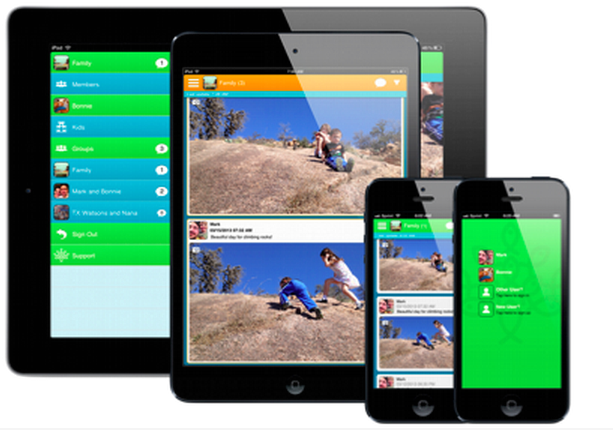 Kinfish offers simple tools:
- Text Notes
- Photos
- Video
- Drawings
These are just a few of the many reasons you and your family should check out Kinfish! You can download the app via Kinfish.com. Kinfish is the only service that has a kid specific app for safety. You can setup a kid (under 13 in Kinfish and then download the Kinfish Jr. App (also on iTunes) or at sign in at jr.kinfish.com